
BestReels
Moboreader TECHNOLOGY USA CO LTDEntertainment
4.43.15K Reviews
- Version
- 1.5.7
- Installs
- 500.00K
- Age Rating
- Teen
Screenshots
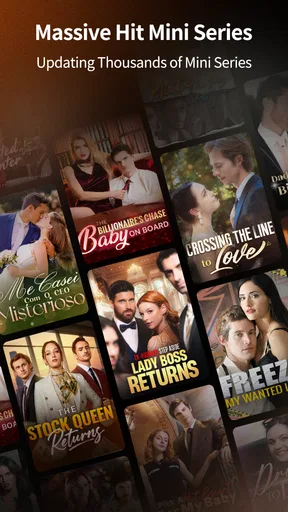
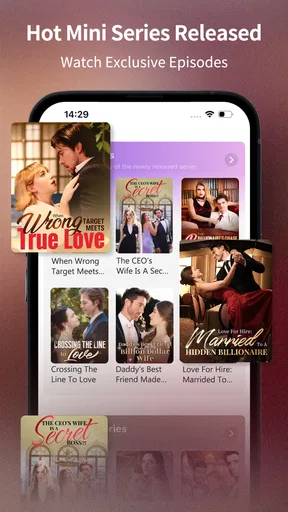
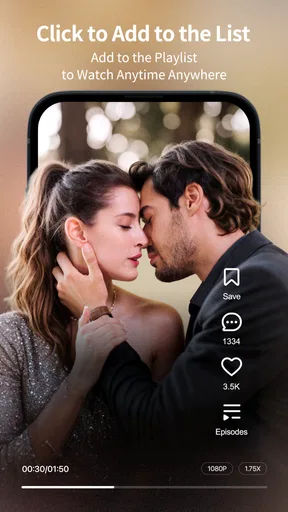
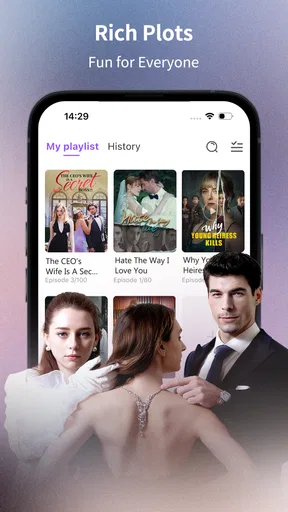
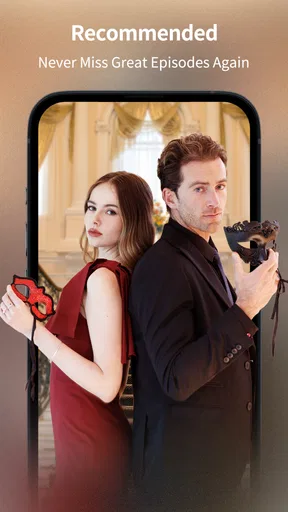
Our Review of BestReels
 Analysis by Appyee
When I first open BestReels, I expect a quick way to find short entertainment rather than a service I need to study before using. That is the right mindset for this free entertainment app: arrive with a little time, browse, and see whether its short-video approach suits you. The first useful success is simple—finding a clip you enjoy and deciding whether you want to keep watching, follow its creator, or try making something yourself.
What to expect from a short-video app
BestReels is developed by Moboreader TECHNOLOGY USA CO LTD, and its audience sits in the familiar world of compact, feed-based video. If you already use short-form platforms, the basic rhythm will feel recognizable: watch a clip, move on when it loses your interest, and let your choices shape what you see. That familiarity is convenient, though it also means the experience depends on whether the recommendations find your tastes.
The app is free to install, with in-app purchases ranging from $4.99 to $239.99 per item. I would treat that as a reason to check purchase details before confirming anything, not as a reason to assume you need to pay to begin watching. The useful first step is to explore at your own pace and make a deliberate choice if a paid option appears.
Its Teen content rating is worth keeping in mind when deciding whether it is appropriate for a younger viewer. A rating is a useful starting point, but I would still use ordinary family judgement about what someone watches and how much time they spend scrolling. For adults, the more practical question is whether a stream of brief videos feels relaxing or distracting in the moment.
A low-pressure first visit
BestReels has an average rating of 4.0 from around 12,000 ratings, with roughly 2,000 written reviews and more than 100,000 installs. Those figures suggest that people have tried it in meaningful numbers, but they do not tell me whether its content will match your personal interests. I would use your first session as a quick fit check rather than treating popularity as a guarantee.
It was released on October 19, 2024, and version 1.5.1.6 requires Android 6.0 or later. If you are installing on Android, checking that your device meets that minimum before troubleshooting is an easy way to avoid a preventable snag. The store also offers the app for iOS, so platform availability is not limited to Android.
When you first launch it, give yourself a small, clear goal: find one creator or subject you genuinely like. That is more useful than trying to judge the whole service from a few random clips. If recommendations feel off at first, keep in mind that a personalized feed needs signals from your viewing choices; engaging with things you actually enjoy is more helpful than watching every clip out of curiosity.
Getting Started with BestReels
First things first, downloading BestReels is a breeze. Available on both Android and iOS, you can easily find it on your respective app store. Once installed, you're greeted with a clean, intuitive interface that's designed to get you hooked from the get-go.
Creating an account is straightforward. You can sign up using your email or simply link your social media profiles to get started. The app does a great job at making you feel right at home with its user-friendly layout, and before you know it, you're diving headfirst into a world of endless creativity.
Exploring the Features
One of the standout features of BestReels is its seamless video editor. Whether you're capturing a moment from your daily life or crafting a mini masterpiece, the app provides a range of tools to enhance your videos. From filters and effects to music and text overlays, there's plenty to experiment with.
The app also boasts a vibrant community. You can follow your favorite creators, engage with their content, and even collaborate on projects. The "duet" feature is particularly fun, allowing you to interact with other users' videos in a creative and entertaining way.
What's more, the discovery algorithm is top-notch. It learns your preferences and curates a personalized feed that keeps you entertained and inspired. Whether you're into comedy, music, or DIY hacks, there's something for everyone.
Making the feed work for you
A personalized stream is most useful when you treat it as something you can steer, not a verdict on what you should watch. If you see a clip that genuinely catches your interest, spend time with it or follow its creator; if a topic is clearly not for you, move on instead of letting curiosity turn into a long detour. This small habit can make browsing feel more intentional and help you decide sooner whether the feed is learning your preferences.
There is a trade-off to that convenience. A feed can surface appealing clips quickly, but short videos are also easy to watch longer than planned because each one asks for so little time. I would open the app with a purpose—such as finding a few ideas for a project or taking a brief break—and close it when that purpose is met. If you need a quiet, finite activity, a book, podcast episode, or selected long-form video may be a better fit.
Trying the editor without overthinking it
If you want to create, start with a small moment that already has a clear beginning and end: a quick demonstration, a simple change in a routine, or a short reaction to something you made. Add text only where it clarifies what the viewer is seeing, and choose music or effects only if they help rather than compete with the subject. That approach makes the available filters, effects, music, and text overlays easier to evaluate than applying everything at once.
A useful first test is to make a draft-sized clip for yourself before worrying about audience response. Check whether the words are readable, whether the effect distracts from the action, and whether the music suits the mood. These are practical checks rather than promises of a particular editing result; the best choice depends on what you are filming. If you only need detailed trimming, layered editing, or a polished long video, a dedicated video editor may offer a more appropriate workflow than a social short-video app.
The duet option gives you a different creative starting point because it lets you respond to another user's video instead of building every idea from a blank screen. I would use it when the original clip gives you a clear prompt—such as a question, demonstration, or performance you can react to—and skip it when your response would add little. Collaboration works best when the new contribution has a purpose, not simply because a feature is available.
Everyday uses and sensible boundaries
For a realistic everyday use, imagine having a short break between errands and wanting something lighter than a full episode. You could open the feed, look for a subject you enjoy, follow a creator whose clips consistently hold your attention, and stop when your break ends. On another day, you might use the editor to turn a small hobby moment into a short clip. Those are different reasons to open the app, and separating them can keep casual viewing from taking over the time you meant to spend creating.
BestReels is most appealing if you like brief entertainment and want watching and basic creative participation in the same place. It is less suitable if you dislike algorithm-led browsing, prefer a carefully chosen playlist, or want an editing tool without a social feed around it. People who are mainly looking for films, full-length shows, or a structured reading experience should choose a service built around those formats instead of expecting short clips to replace them.
Compared with the usual short-video alternatives, the broad appeal here is the combination of a personalized stream, creator interaction, and the ability to make clips with an editor and duet feature. That mix may be enough if you want to move between watching and responding without changing apps. On the other hand, short-video services often feel similar at a glance; what matters in practice is whether the creators and recommendations on this one suit you. I would compare the first sessions by asking which app gives you the most relevant clips with the least aimless scrolling, rather than choosing based only on familiar features.
Why BestReels Stands Out
In a market flooded with short video apps, you might wonder what makes BestReels special. For starters, the app's emphasis on community and collaboration is refreshing. It’s not just about consuming content; it's about creating together and building connections.
Moreover, the app's design is sleek and clutter-free, making navigation a breeze. Unlike some of its competitors, BestReels manages to keep things simple without sacrificing functionality.
Another highlight is the regular updates and new features that keep the app fresh. The developers are clearly invested in continuously improving the user experience, and it shows.
Common points of confusion
One thing I would not assume is that a personalized feed becomes perfect immediately. Recommendations are a process of matching what you watch with what you seem to enjoy, so an early mismatch is a reason to guide your browsing, not necessarily a reason to give up after a handful of clips. Equally, following a creator is useful when you want more from that person; it is not the same as asking the wider feed to show only that subject.
It is also easy to confuse the app's free starting point with a promise that every optional item is free. Since purchases are offered inside the app, pause to read the displayed terms and amount before confirming one. If you are installing it for a family member, make that distinction clear and consider the device's purchase controls. The Teen rating is a cue to make an informed choice, not a substitute for checking whether the content suits the individual viewer.
Account setup is another moment where a first-time user can make an unnecessary decision in a hurry. Choose the sign-in route you are comfortable using and think about whether you want to connect a social profile before doing so. You can begin with a simple viewing goal and only take on more social participation if following creators or sharing your own clips genuinely appeals to you.
For Android users, the minimum operating system requirement is a practical check before installation. If your device is running an older version than Android 6.0, it does not meet the stated minimum. For anyone on a supported device, a sensible first troubleshooting step is to confirm that the app is installed and updated through the usual app-store route before assuming a feed or editing problem reflects how the service is meant to work.
Final Thoughts on BestReels
So, is BestReels worth your time? If you're looking for an app that combines creativity, community, and entertainment, then absolutely. It’s a space where you can express yourself, discover new trends, and engage with a global audience.
Whether you're a seasoned content creator or just someone looking for a fun way to pass the time, BestReels offers something unique. The app is a testament to how technology can bring people together and inspire creativity.
In a nutshell, BestReels is more than just another video app. It's a platform that's redefining how we connect and create in the digital age. So why not give it a try? You might just find your next favorite pastime.
My recommendation for a first session
I would recommend giving it a short, purposeful trial if you enjoy quick videos and are curious about making or responding to them. Start by exploring a subject you already like, follow only creators you expect to revisit, and try one simple edit or duet if you want to participate. That gives you a fair sense of both sides of the app without requiring you to become a regular poster.
If you finish that first visit feeling entertained and in control of your time, it may earn a place in your routine. If the feed feels repetitive, the social layer is not for you, or you want a more deliberate way to watch, there is no need to force a fit: a curated video service or a standalone editor may serve that need better. My main advice is to judge BestReels by the quality of your own first meaningful session, not by the promise of endless clips.
Verdict
Strengths of BestReels
- User-friendly interface for easy navigation.
- Extensive library with diverse video categories.
- High-quality video streaming with minimal lag.
- Regular updates with new content additions.
- Customizable playlists for personalized viewing.
Limitations of BestReels
- Occasional ads can be disruptive.
- Requires stable internet for optimal performance.
- Limited offline viewing options.
- Subscription required for premium features.
- Some content may not be available in all regions.
Other Releases by Moboreader Technology USA Co Ltd
View All
MiniDrama: Stream Drama Shorts
Entertainment4.2

MoboReels: Good Reel Short TV
Entertainment4.1

Lera - Webnovels Romance
Books & Reference4.3

ReadNow: Good Novels & Fiction
Books & Reference4.3
Similar Picks in This Category
View All
Google Play Games
Google LLC3.9

Netflix
Netflix, Inc.4.8

YouTube Kids
Google LLC4.2

Disney+
Disney4.4

Prime Video
Amazon Mobile LLC4.7

Steam
Valve Corporation3.2
Frequently Asked Questions
What is BestReels and what does it do?
BestReels is a dynamic video editing app designed for creating engaging short-form videos. It offers a variety of features such as filters, music integration, and advanced editing tools. Users can easily edit and share their creations on social media platforms, making it ideal for influencers and content creators.
Is BestReels free to use, or are there in-app purchases?
BestReels offers a free version with basic features, allowing users to explore its core functionalities. However, for advanced editing tools, exclusive filters, and ad-free usage, users can opt for in-app purchases or a subscription model, providing a more enriched experience.
What devices and systems support BestReels?
BestReels is available for both Android and iOS devices. It requires Android version 5.0 and up, or iOS version 11.0 and later. Being compatible with a wide range of devices ensures that users can enjoy its features across different smartphones and tablets.
How secure is my data when using BestReels?
BestReels prioritizes user privacy and security by implementing strong encryption and secure data protocols. Users' content and personal information are protected, and the app complies with data protection regulations. However, always review the app's privacy policy to understand how your data is managed.
Can I share my videos directly from BestReels to social media?
Yes, BestReels provides seamless integration with popular social media platforms like Instagram, Facebook, and TikTok. Users can easily share their edited videos directly from the app, enhancing their online presence and engaging with a broader audience effortlessly.
